

Need a hand?
We're here to help
Questions about the app, your account, or anything money-related, drop us a line and a real human will get back to you.
Typically replies within 24 hours
Help Center
This guide will walk you through the essential features of MoneyPop, your new financial co-pilot. We're here to help you take control of your beauty finances with confidence.
1. Getting Started: Your Onboarding Journey
When you first open MoneyPop, we'll guide you through a quick and easy setup process to personalize the app for your business.
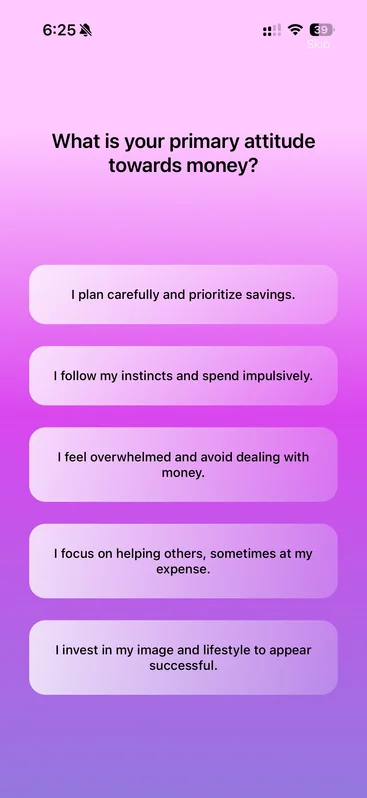
The Survey
We'll start by asking a few simple questions about your business, your income goals, and your work style. This helps us understand your unique situation and tailor our advice to you.
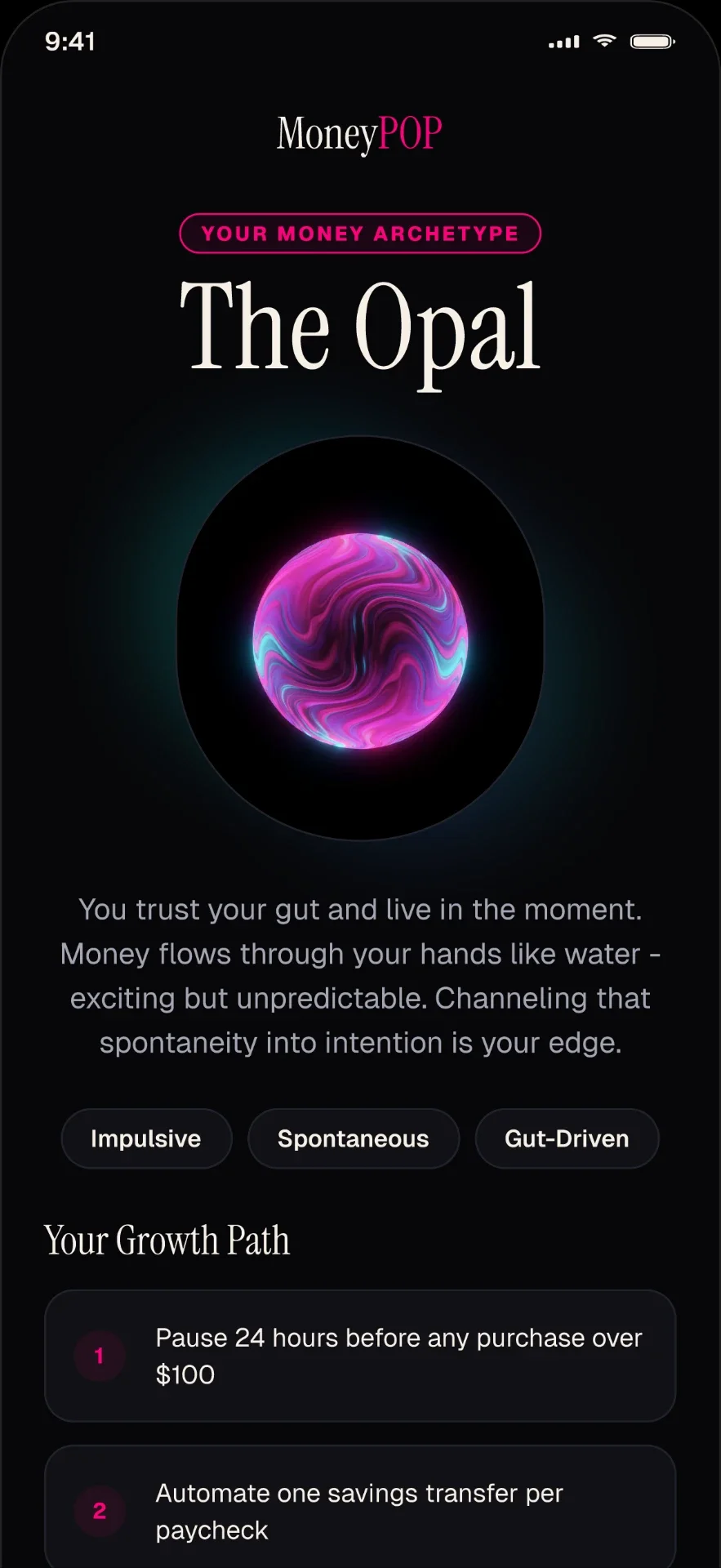
Your Financial Archetype
Based on your answers, we'll identify your Financial Archetype. This gives you a fun, insightful look into your financial personality and helps us provide the best guidance for you.

2. Your Profile: Your Financial Home Base
The Profile screen is your central hub. Here you can see a summary of your financial identity, including your archetype, and access key features for managing your budget and finances.
Key Actions on Your Profile:
- Edit Your Budget: Adjust your spending categories and percentages.
- See Budget: View your budget in action and track your spending.
- Edit Income Settings: Update your income goals or average service price.
3. Creating and Editing Your Budget
A budget is your plan for success. MoneyPop makes it easy to create a budget that works for you.
Setting Up
From your Profile, tap on "Edit Your Budget". Here, you can assign a percentage of your planned income to different spending categories, like Supplies, Rent, or Education. The app gives you recommended ranges to help you get started.
Viewing Your Budget
Once you've saved your budget, tap "See Budget" on your Profile. This screen shows you how much you've spent in each category compared to what you planned. You can filter by different time periods (like "This Month" or "This Year") to track your progress.
4. Connecting Your Bank Account with Plaid
To get the most out of MoneyPop, you need to see your real-time financial data. We partner with Plaid, a secure and trusted service, to link your bank accounts.
How to Connect
In the "My Finances" tab on your Profile, you'll find a "Link Accounts" button. Tap it, and Plaid will guide you through a secure process to sign in to your bank and connect your accounts. Your information is always encrypted and safe.
5. The Bank Accounts Screen: Your Financial Dashboard
This is your main dashboard for day-to-day financial activity. It gives you a clear picture of your total balance, income, expenses, and recent transactions.
What You Can See:
- Total Balance: The combined balance of all your connected accounts.
- Goal Gauge: Track your income progress towards your monthly goal.
- Monthly Summary: A simple chart showing your income and expenses over time.
- Transactions List: A list of your recent transactions. You can filter to see all, just income, or just expenses.
6. Financial Reports: Understanding Your Business Health
Go from just tracking transactions to truly understanding your business. The Financial Reports section gives you simple, powerful insights.
Profit & Loss (P&L) Tab
This is the most important report for any business owner. It answers one question: "Am I making more money than I'm spending?" Here you'll see your total revenue and total expenses for a selected period, giving you a clear view of your net profit.
Balance Sheet Tab
This report gives you a snapshot of your business's financial worth. It shows what you own (Assets) versus what you owe (Liabilities). It's a great way to see the overall value of your business.
Cash Flow Tab
This report shows you how money moves in and out of your business. It helps you understand where your cash is coming from and where it's going, so you can make sure you always have money on hand to pay your bills.
7. The Mood Diary: Connecting Finances and Feelings
Your financial health is connected to your emotional well-being. The Mood Diary is a private space to track how you're feeling about your business finances.
Each day, you can check in, select a mood that reflects how you feel, and write a short note. Over time, this can help you see patterns and understand the emotional side of your financial journey.
Still stuck?
If this guide didn't answer your question, reach out, or jump back into the app and explore.